AI adoption and integration for Chicago businesses

Put AI to work where your business loses time or misses leads.

I help Chicago service companies understand what AI can do, train their teams, choose the right tools, connect them to existing systems, and launch practical workflows. Websites remain the customer-facing layer when the project needs one.

Best fit: established home-service and specialty-contractor companies with an office, dispatch, or customer-service team.

  • Work directly with Zach
  • Provider-neutral recommendations
  • Human review and escalation built in

AI fit check

What is wasting time or letting good leads slip?

Share one workflow and the tools involved. I will tell you whether it is a sensible first AI project and what I would examine next.

This form requests a business conversation. It does not purchase a product or start an automated deployment. See the privacy notice.

Customer-facing layerWebsites, forms, booking, portals
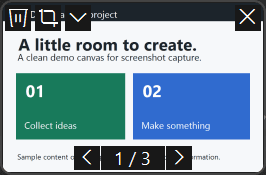
Original website conceptOriginal website conceptOriginal website concept

Good first projects have a visible cost

Start where people are confused or work is slow, repetitive, or easy to lose.

AI is useful when employees understand it and it improves a real workflow. It is not useful when it adds another interface, another subscription, or a risky black box.

Common places to look

  • Leads wait too long for a reply or disappear after hours
  • Staff copy the same information between forms, email, calendars, and CRM
  • Important company knowledge is scattered across files and inboxes
  • Employees know AI exists but do not know what is useful or safe
  • Reports, proposals, intake, and follow-up consume hours of repeatable work
  • A website captures interest but does not connect cleanly to the rest of the business

What Vertex Authority does

Understand the opportunity, train the team, then build what earns its place.

The goal is useful capability and measurable workflows, not another subscription your team forgets to use.

AI training and team rollout

Show employees what AI can and cannot do in their actual roles, create safe-use rules, and practice useful workflows with company-approved examples.

See how it works

AI adoption and workflow assessment

Map repetitive work, missed leads, current tools, data risks, and realistic ROI. Leave with a ranked plan for what to test, what to buy, and what to avoid.

See how it works

AI integrations and automation

Connect forms, phone systems, email, scheduling, CRM, documents, reporting, and internal tools with controlled AI steps and clear human handoffs.

See how it works

Websites and customer systems

Build or improve the customer-facing layer that captures demand and connects it to booking, payments, CRM, follow-up, portals, analytics, and support.

See how it works

AI training and adoption

Your team needs useful habits, not a prompt lecture.

Training starts with the roles, tools, data, and decisions employees handle. People practice useful examples, learn how to verify outputs, and leave with clear rules about what requires a person.

See training options

Understand

A plain-language map of current capabilities, limitations, costs, and provider choices.

Practice

Hands-on role-specific examples using approved data and realistic tasks.

Control

Safe-use rules, verification, escalation, and prohibited uses employees can follow.

Adopt

Templates, office hours, usage review, and a path from good examples to integrated workflows.

Provider, model, and platform selection

Choose the component that fits the workflow, users, and data.

ChatGPT Business, Claude Team, Google Workspace with Gemini, Microsoft 365 Copilot, APIs, and model gateways solve different problems. Selection is included in the assessment so seats, permissions, connectors, retention, usage, reliability, and integration needs are considered together.

Current alternatives include Kimi K3, GLM 5.2, MiniMax M3, Qwen 3.7, Ollama, OpenRouter, Vercel AI Gateway, and OpenClaw. These are components, not badges. Frontier open models can be inexpensive through an API yet unrealistic on office hardware, while device-connected agents need strict permissions, sandboxing, updates, and recovery controls. Availability, pricing, and fit are verified again for every project.

I evaluate cloud, local, self-hosted, and hybrid options based on the data, quality requirement, expected volume, latency, available hardware, support budget, and need for auditability.

  • Use cloud business plans for the fastest governed staff rollout
  • Use managed APIs or gateways for controlled integrations and access to larger models
  • Use local hosting for a justified privacy, offline, or control requirement
  • Use hybrid architecture when sensitive retrieval can stay private while stronger cloud models handle approved tasks
See when private AI makes sense

Websites still matter

The website is where customer demand meets the operating system.

A useful business website does more than explain the company. It captures the right information, routes urgent requests, offers booking or payment, updates the CRM, triggers follow-up, answers approved questions, and gives the owner a clear view of what happened.

Website work remains a major Vertex Authority service. It is positioned as part of a complete customer and operations system instead of an isolated brochure project.

Explore websites and customer systems

Founding-client launch pricing

Learn first, prove one workflow, then expand what works.

These ranges are intentionally below typical consulting and agency pricing while Vertex Authority builds verified case studies. Every project is still scoped to protect delivery quality and a sustainable hourly floor. Third-party software and model usage are separate.

Free entry point

AI Fit Check

A short call to determine whether the need is training, assessment, implementation, or a simpler non-AI fix.

No charge

  • One team problem or workflow
  • Quick go, no-go, or not-yet opinion
  • No custom roadmap or free implementation design
Request a fit check

Paid assessment

AI and Workflow Assessment

A structured review of workflows, software, users, data, risk, provider choices, and the first projects most likely to pay back.

Founding-client range: $1,250 to $2,500

  • Workflow and tool inventory
  • Ranked opportunity map
  • Provider and architecture recommendation
  • Pilot scope, baseline metrics, and risk controls
Discuss an assessment

Focused implementation

One Workflow Pilot

Build and test one controlled system, such as lead response, intake, document extraction, knowledge search, or reporting.

Founding-client range: $2,500 to $5,000

  • Two to four week target window
  • Real examples and failure testing
  • Human review and escalation rules
  • Launch checklist and staff handoff
Plan a pilot

Expanded implementation

Business AI Integration

Expand a proven pilot across the systems, teams, permissions, reporting, and operating procedures needed for daily use.

Founding-client work starts around $5,000

  • Multi-system integration and data flow
  • Access controls, logging, and escalation
  • Staff training and operating documentation
  • Milestone rollout with measured acceptance
Discuss an implementation

Customer-facing system

Website and AI Integration

A custom website or redesign connected to forms, booking, CRM, payments, analytics, support, and follow-up.

Founding-client range: $3,750 to $12,500

  • Custom Next.js design and development
  • Lead capture and qualification flow
  • Business-system integrations
  • SEO, structured data, analytics, and handoff
Discuss the customer system

Ongoing

Managed AI Operations

Monitoring, issue response, cost review, training office hours, workflow improvements, model changes, and a measured expansion backlog.

Founding-client range: $400 to $1,500 per month

  • Usage, error, and escalation review
  • Provider and model cost monitoring
  • Routine fixes and controlled improvements
  • Monthly operating report or office hours
Ask about ongoing support

Process

A controlled path from idea to working system.

Each project starts small enough to understand and measure, then expands only when the result justifies it.

  1. 01

    Build practical understanding

    We identify what employees already know, where unsanctioned use is happening, and which role-specific examples will make the technology useful instead of abstract.

  2. 02

    Find and prove the workflow

    I connect the minimum systems needed, add permissions and escalation rules, and test with real examples before wider use.

  3. 03

    Measure and operate it

    We track usage, response time, errors, cost, staff adoption, and business outcomes. Ongoing monitoring, office hours, and improvements are available after launch.

Evidence, labeled honestly

Working systems and original concept builds

Real technical projects are separated from concept demonstrations so you can see exactly what each example proves.

Real project · automation system

PubMed Research Pipeline

A research workflow that pulls academic papers, extracts structured information, and sends organized findings to Notion through GitHub Actions.

  • Python
  • Gemini API
  • Notion API
  • GitHub Actions
Prototype · audit workflow

Local SEO Audit Prototype

A prototype that checks business listings, citation consistency, and structured data for local and multi-location businesses.

  • Playwright
  • Python
  • Structured data
Concept build · demonstration

Private Document Assistant Prototype

A concept architecture for cited document search with local embeddings, access controls, and a choice of cloud or local model execution.

  • RAG
  • Ollama
  • Vector search
  • Human review

About

You work with the person teaching, assessing, and building the system.

I am Zach Colvin, a Chicago developer and AI integration consultant focused on practical systems for small and mid-sized businesses.

I handle training, assessment, architecture, development, deployment, and technical support myself. There is no account manager translating your business to an unknown delivery team.

My tools include Next.js, TypeScript, Python, n8n, GitHub Actions, Vercel AI Gateway, mainstream cloud providers, current open-model options such as Kimi K3, GLM 5.2, MiniMax M3, and Qwen 3.7, local runtimes such as Ollama, and controlled OpenClaw prototypes. The technology comes after the business requirement.

  • Next.js
  • TypeScript
  • Python
  • n8n
  • Vercel AI Gateway
  • AI APIs
  • Kimi K3 and GLM 5.2
  • MiniMax M3 and Qwen 3.7
  • Ollama
  • OpenClaw

Questions

Practical answers before you buy anything.

Do we need AI at all?

Not always. A normal automation, a better form, a software setting, or a clearer process may solve the problem more reliably. The assessment is designed to rule out bad AI projects as well as find good ones.

Do you train employees who are completely new to AI?

Yes. Training can start with a practical overview and then move into role-specific examples, safe-data rules, verification, approved templates, and follow-up office hours. The goal is useful habits, not a one-time prompt lecture.

Which provider or model do you recommend?

The answer depends on the workflow, current Microsoft or Google environment, number of users, data sensitivity, integrations, quality, latency, and budget. I can evaluate mainstream business plans and current alternatives such as Kimi K3, GLM 5.2, MiniMax M3, Qwen 3.7, model gateways, local runtimes, and OpenClaw. Model availability and pricing change quickly, so they are verified again when the project is scoped.

Can you build a website too?

Yes. Websites are a major part of Vertex Authority. They often become the customer-facing layer for lead capture, booking, payments, chat, portals, analytics, and automated follow-up.

Can the system run locally or privately?

Sometimes. Local or private deployment can be appropriate for sensitive documents, predictable workloads, offline use, or vendor-control requirements. It also creates hardware, patching, access-control, backup, logging, and support responsibilities. I recommend it only when those tradeoffs are justified.

Will AI be allowed to take actions on its own?

Only within an agreed boundary. High-impact actions should use permissions, approval steps, logs, validation, and a clear way to escalate to a person. The goal is useful automation, not unchecked autonomy.

How is the work priced?

Current public ranges are founding-client launch prices. Workshops and assessments are fixed scope. Implementations are usually fixed price or milestone based. Ongoing monitoring and improvement are monthly. Software, model usage, phone minutes, and other third-party costs are listed separately.